How AI Hairstyle Preview Works: Is it Accurate? Try it Online!
A hairstyle preview tool lets you upload a selfie and see simulated haircut options on your own face. It cannot promise the exact salon result, but it can help you compare styles, narrow your choices, and make a haircut decision with more clarity.
Try AI Preview Now
Upload and see which haircut direction fits your face before you book a real cut.
For most people, that is the real value of Morphlook. It turns a vague idea like "maybe I want bangs" or "maybe I should go shorter" into something you can actually react to.
Preview haircut ideas before you book anything
What does a hairstyle preview tool actually do?
At a practical level, the tool reads your selfie, identifies visible facial and hairline features, and generates hairstyle variations that fit the image. Some people call this an AI hairstyle preview, others call it a hairstyle try-on or haircut simulator. The purpose is the same: to help you test hairstyles online before making a real change.
Instead of relying only on reference photos, you get something more personal. You can compare a bob with long layers, curtain bangs with a center part, or a shorter cut with a softer shape.
How does the process work?
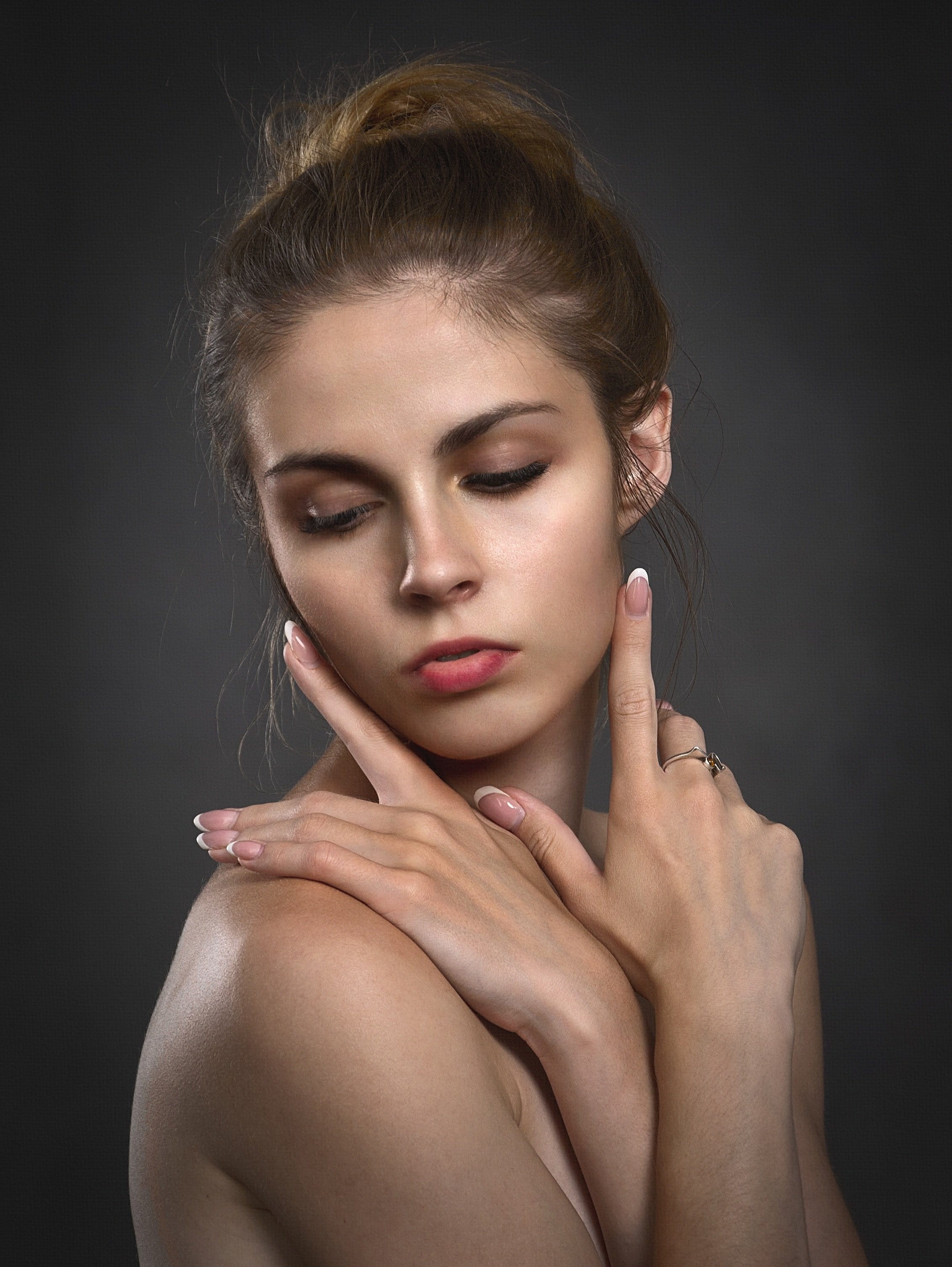 Input Photo
AI Processing
Face shape, hairline, and style direction are interpreted before the preview is generated.
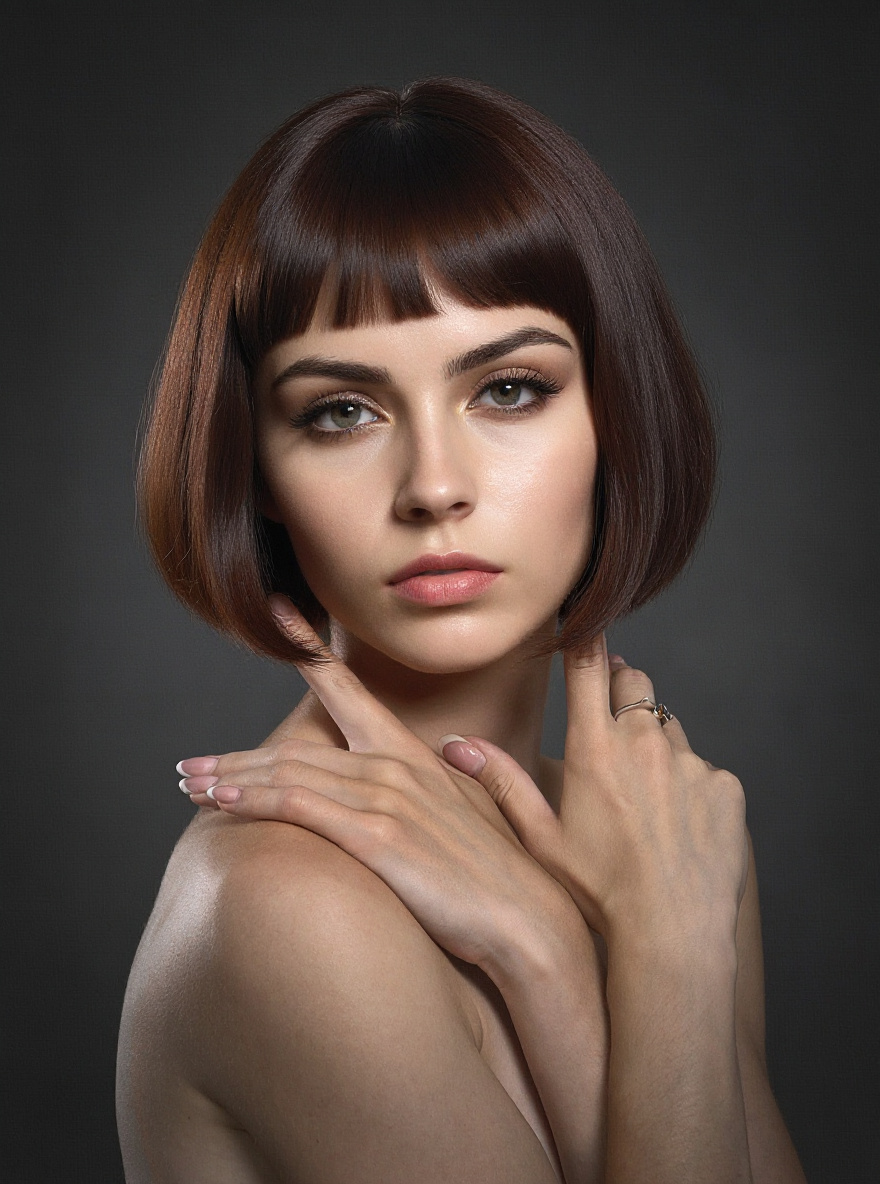 Final Hairstyle
1. You upload a selfie
The starting photo matters more than most people expect. A clear, front-facing image gives Morphlook better information to work with, which usually leads to a more useful preview.
2. The tool reads visible facial structure
Morphlook looks at visible details such as face framing, hairline area, head angle, and overall shape in the image. This is not a beauty score or a claim about what is objectively best. It is image analysis used to place a hairstyle more naturally.
3. A hairstyle is generated on your photo
Once the image is mapped, the system creates a version of the chosen haircut on your selfie. That may include changes to length, parting, volume, bangs, layers, or silhouette.
4. You compare different options
This is where the tool becomes useful. The point is not to declare one perfect haircut. The point is to compare realistic directions and see which ones feel more balanced, more flattering, or more like you.
Why do people use it before a haircut?
Most people do not struggle with finding haircut inspiration. They struggle with knowing whether a haircut will feel right on them.
A preview tool is especially useful when you want to:
- compare two or three haircut ideas
- test a bigger change before committing
- decide whether bangs are worth trying
- see whether shorter or longer shapes feel better
- collect clearer references for your stylist
If you have ever searched for "see which haircut suits you" or "test hairstyles online," you are usually trying to reduce uncertainty. That is exactly the job Morphlook is built for.
If your upload photo is not ideal, read how to upload the best selfie for a cleaner hairstyle try-on before you test more styles.
What can it not do perfectly?
This is the part that matters most. A hairstyle preview is a planning tool, not a guarantee.
It cannot fully predict:
- how your hair behaves day to day
- how much styling effort a cut will need
- how your texture responds after cutting
- how a specific stylist will execute the look
- how the haircut will move in real life
That does not make it less useful. It just means you should treat the result as a visual guide rather than a final promise.
Why do some results look more realistic than others?
Usually, the difference comes down to three things.
Photo quality
Good lighting, a visible hairline, and a straight-on selfie make a big difference.
Style complexity
Simple, wearable haircuts usually preview more clearly than highly stylized looks.
Expectations
The tool is best at helping you compare options. It is less useful if you expect an exact salon forecast down to every strand.
Preview several haircut directions on your own selfie
so you can judge them side by side.
Can it help you see which haircut suits you?
Yes, within reason. It can help you spot patterns.
You may notice that one fringe makes your face feel more open, or that a shorter shape looks sharper than expected, or that a center part feels more balanced than a side part. Those are useful signals.
But the "best" haircut is not only about what looks good in a static image. It also depends on your routine, styling habits, maintenance tolerance, and personal taste. If you want to dig into that question, read whether AI can really predict your best haircut.
How should you use Morphlook well?
The most useful process is simple:
- Upload a clear selfie
- Try several realistic styles
- Compare overall shape, not tiny details
- Save the strongest options
- Bring them to your barber or stylist as references
That is much more useful than guessing from trend photos or trying to imagine a haircut from memory.
Why Morphlook works for real haircut decisions
Morphlook is built for people who want a practical answer to a common problem: "I think I want a different haircut, but I do not know what will actually suit me."
Using your own photo changes the decision. It gives you something more grounded than trend boards or generic face-shape advice. You can test possibilities privately, compare them quickly, and go into a salon conversation with more confidence.
FAQ
Is a hairstyle preview accurate?
It can be directionally realistic and useful for comparison, but it cannot guarantee the exact real-life result.
Is this the same as a haircut simulator?
Yes. People use different terms, but they usually mean a tool that lets you preview haircut options on your own photo.
Can I use it to see which haircut suits me?
Yes. It can help you compare styles and narrow your options before a real haircut.
What kind of photo works best?
A clear, front-facing selfie with even lighting and minimal obstructions usually works best.
Can it replace a hairstylist?
No. It helps with decision-making, but a stylist still matters for execution, texture, and maintenance advice.
Should I trust one preview only?
No. It is better to compare several styles side by side before making a decision.
Related reading
- How to upload the perfect selfie for better hairstyle results
- Can AI really predict your best haircut?
Try Morphlook and preview styles on your own photo